At the Google I/O conference in May last year, Google officially announced the Android 12 system, with a large number of new designs to make the original Android look new. After the official version of the system was pushed to Google Pixel phones in October 2021, customized versions of major OEMs were also arranged one after another. At long last, it is good to know that Android 13 has a feature that catches up with iOS.
Many people’s Android 12 may still be on the road to adaptation, but some users have already eaten Android 13. Earlier in February 2022, Google officially launched Android 13 Developer Preview 1.
Don’t Miss: Here is how the Development of Smartphones mainly rely on the Innovation and Revolution of Android
Apparently, this is the first developer preview of the next-generation Android system (codenamed “Tiramisu“). After last year’s comprehensive renovation, Google has slowed down the pace of updates this time, and we have also seen the reflections rival iOS on this new Android Operating system. The followings are some of the standout features of the New OS.
1. Theme App Icon
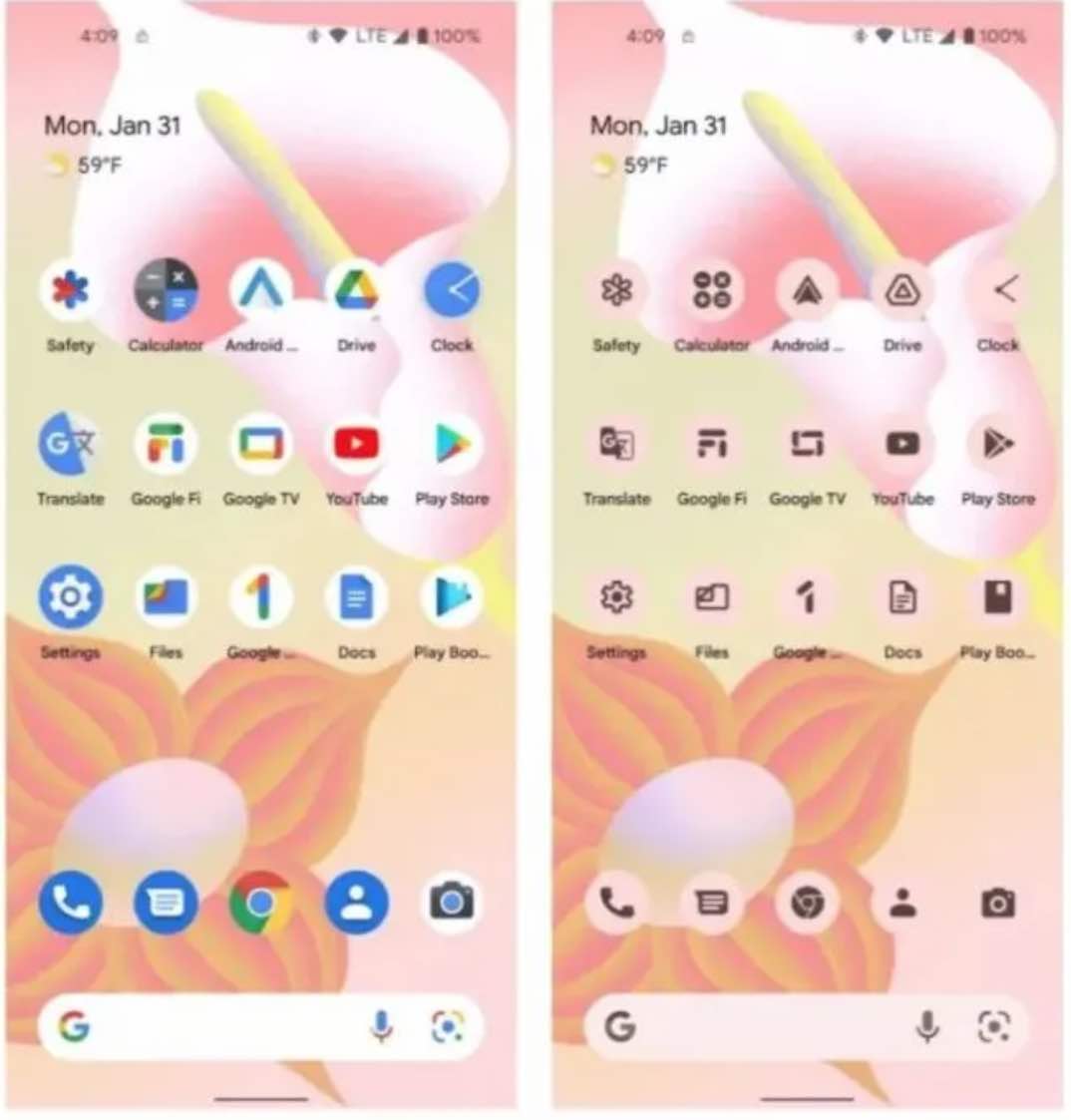
Android 13 introduced an API for theming app icons. The theme icon function was launched earlier in Android 12.
As a function in the beta testing stage, it can be regarded as a system-level simple monochrome icon pack, which integrates the application icon with the Android 12 dynamic color selection theme.
With the arrival of Android 13, all apps can use this feature. However, it needs to be adopted by developers.
In retrospect, the “adaptive icon” function launched by Android 8.0, still has many applications that have not yet been adopted. The fate of this new set of theme application icon systems may not be much better.
2. Quick Settings Placement API
The Quick Settings drop-down menu is one of the most commonly used functions for Android users.
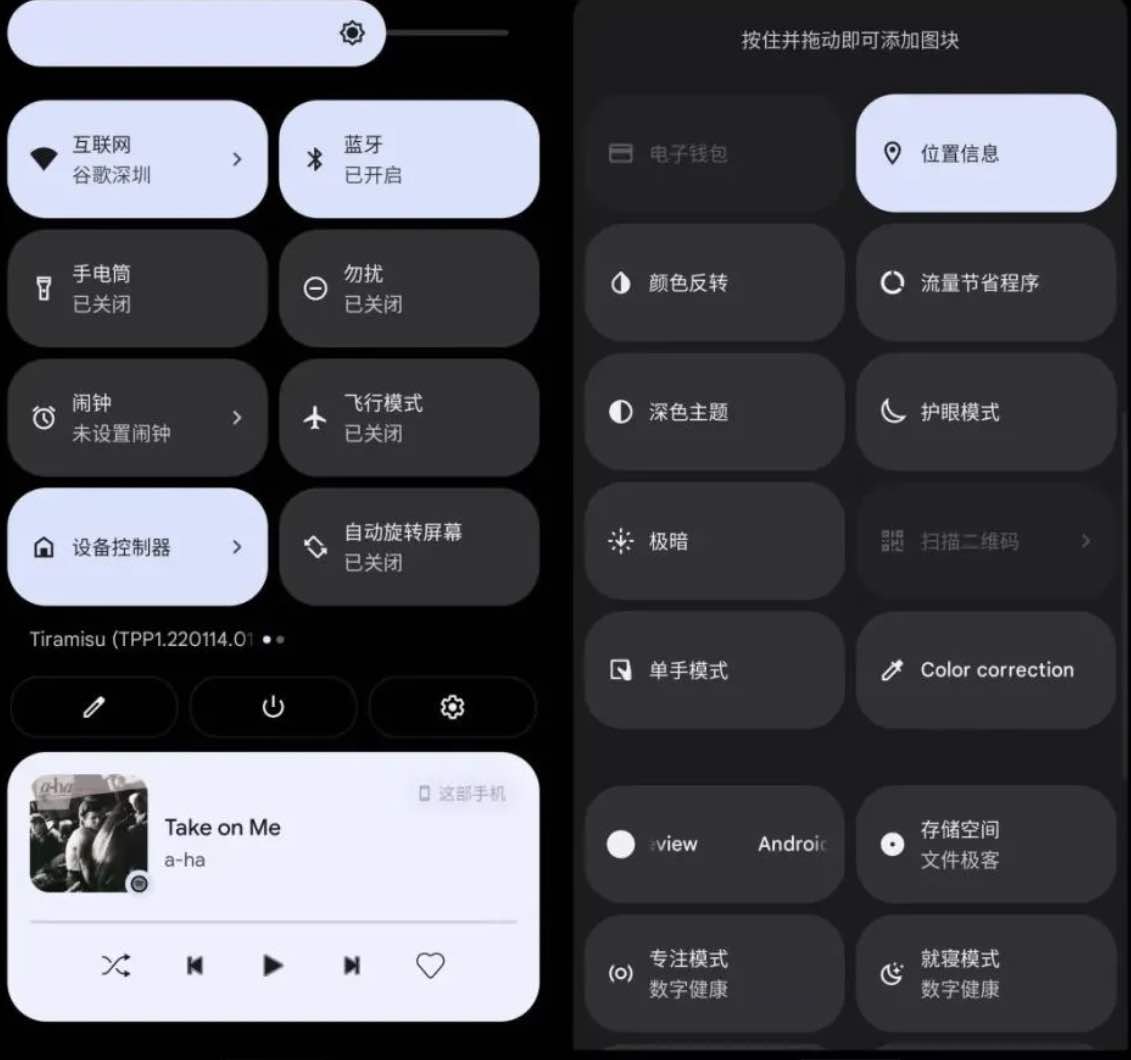
It provides quick switches and options for the system and third-party applications, which are convenient, fast, and have a high degree of freedom.
However, the shortcut settings retain an age-old problem, that is, some non-present functions require users to manually paste them on the menu, which reduces the usage rate.
To this end, Android 13 has launched the Quick Settings placement API (Quick Settings placement API), which allows users to directly pin related function tiles to the Quick Settings menu through in-app prompts.
Compared with the triple operation of “drop-down menu, editing, dragging and adding”, users will be able to customize shortcut settings more easily.
In addition, three new options have been added to Android 13’s quick settings, including color correction, one-handed operation mode switch, and QR code scanning.
In 2022, native Android finally has a system-level QR code scanning tool, but the feature is currently a placeholder and does not provide actual functionality.
3. Finally, Android 13 Has a Feature That Catches up with iOS With The Photo Picker API
Android’s storage mechanism is a double-edged sword. By this I mean it brings convenience and it is also prone to privacy leaks.
Basically, the existing android storage mechanism brings convenient file management functions but also tacitly allows major applications to act recklessly in the storage space.
This is achieved Through the ancestral READ_EXTERNAL_STORAGE / WRITE_EXTERNAL_STORAGE permissions, the app only needs to request permission to access the storage once and can read the files in the entire public storage space.
First, there is a potential privacy leak, and secondly, it gives the App the right to create folders anywhere and everywhere.
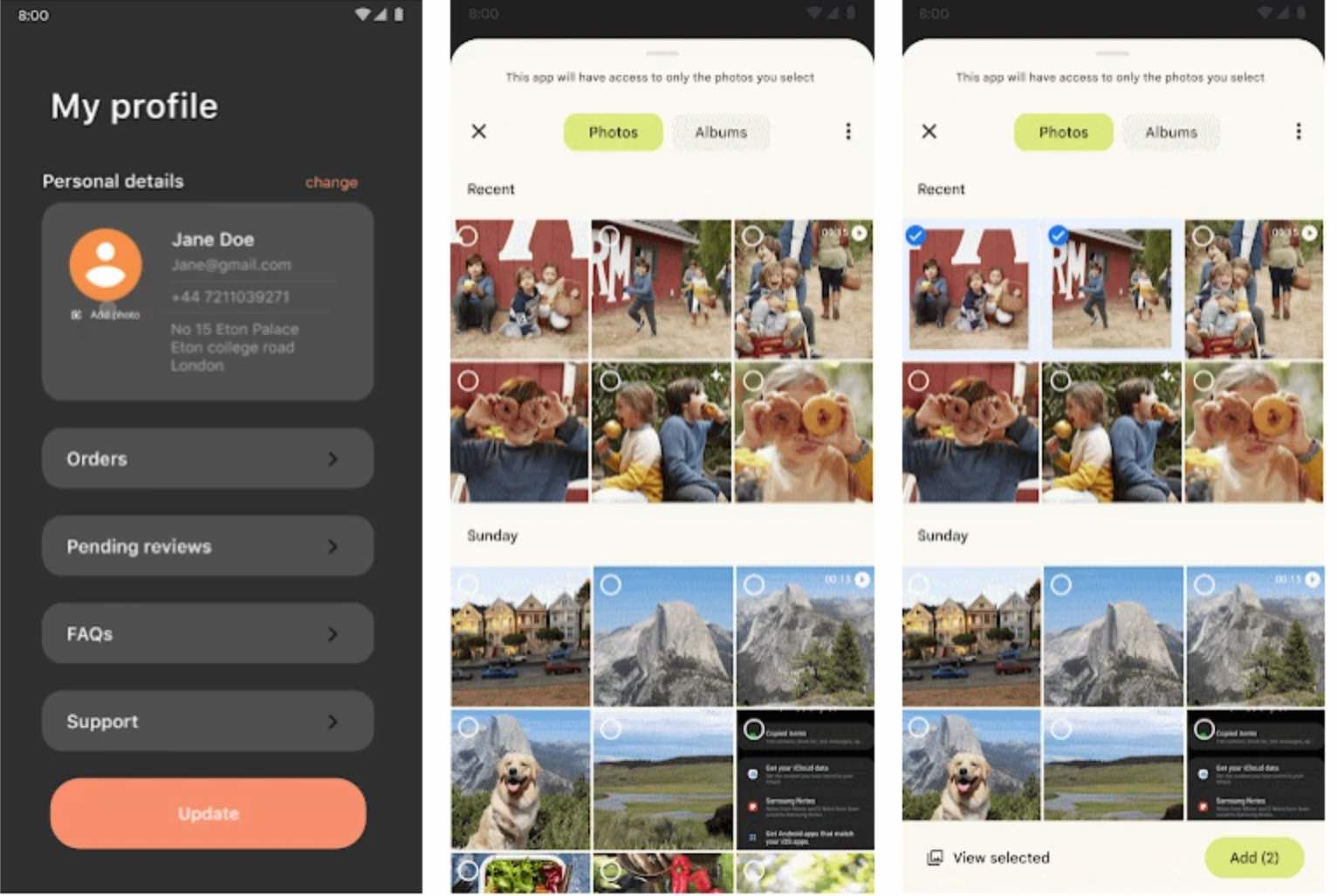
This time, Google has finally taken solid steps on the file management issue. Android 13 brings the Photo Picker API, which allows apps to access only user-defined photos and videos without seeing all the other media files on the device.
Do Apple users feel deja vu? With iOS 14 in 2020, Apple has improved access to Photos, allowing users to grant apps limited access to photos without having to use their entire photo library.
According to the official release time, Android 13 is two years slower than iOS this time. Fortunately, it was only late, not absent.
4. The Native Android Version of “One Touch”
Huawei is a master of multi-device collaboration. “One-touch transmission” is one of its signature skills. One-touch file transfer, one-touch printing, and one-touch audio transmission are easy to use.
Soon, however, Android devices will also have a native “one-touch pass”.
Former XDA editor-in-chief Mishaal Rahman discovered that Android 13 is hiding a feature called “Media Tap To Transfer.”
When a user plays music on a smartphone and approaches a tablet, a smart speaker, etc. that acts as a receiving device, a bubble notification will pop up on the mobile phone, prompting the user to send music to the receiving device for playback.
This feature is still in development and may not be available until later. Different from Huawei’s “One Touch Transfer”, “Media Tap To Transfer” is aimed at media files such as audio and video, rather than an overall collaborative system.
Native Android has its own collaboration system, such as Nearby Share, Chromebook cross-screen collaboration, etc., but it is far from Huawei’s feature.
Other Android 13 Important New Features
- Separation of search Wi-Fi permission and location permission: This will Improve privacy protection, adding the “neverForLocation” attribute to the NEARBY_WIFI_DEVICES permission. By so doing, you can manage the device and surrounding Wi-Fi devices without obtaining location permission.
- Language preference for individual apps: Some apps allow users to choose a language different from the system language, which is convenient for multilingual users.
- Improvements for large-screen devices: rotation is allowed in the locked screen state, desktop layout supports up to 6 application icon positions, etc.
As the first developer preview of the freshly released version, the above is not the whole picture of the new features of Android 13.
According to the timeline, the official version of Android 13 will be launched around July or August at the earliest. If you are an early adopter, you can flash it on Pixel 6 Pro/6/5a 5G/5/4a 5G/4a/4 XL/4 “pro-son” devices, or use Android Studio to experience and interact with the emulator.
Users of other major Android phones will have to wait a few more months. As usual, Google will announce the OEM public beta plan of Android 13 at the Google I/O developer conference in May to provide experience opportunities for designated models.
Final Thoughts
Overall, Android 13 is a bit like Android 11 of two years ago. There is no drastic innovation, but a complement to the current version.
In terms of feature updates, Google has always been very Buddhist and is not in a hurry to add system-level underlying functions to Android.
For example, Android 13’s photo picker API is as much as two years slower than iOS 14. Another example is the launch of Android 10 in 2019 which only allows access to location permissions during app usage, which is two years slower than iOS 11.
Compared with Android manufacturers, last year’s Android 12 brought scrolling screenshots and game modes to native Android for the first time – another feature that has been played by Chinese custom operating systems for a long time.
This slowness may be due to Google’s prudence as the head of Android. Although native Android is far away from us, however, some of its functions have already been experienced.
Now that they are written into open-source Android code as system-level functions, the progress in it belongs to the entire Android world.
Leave a Reply